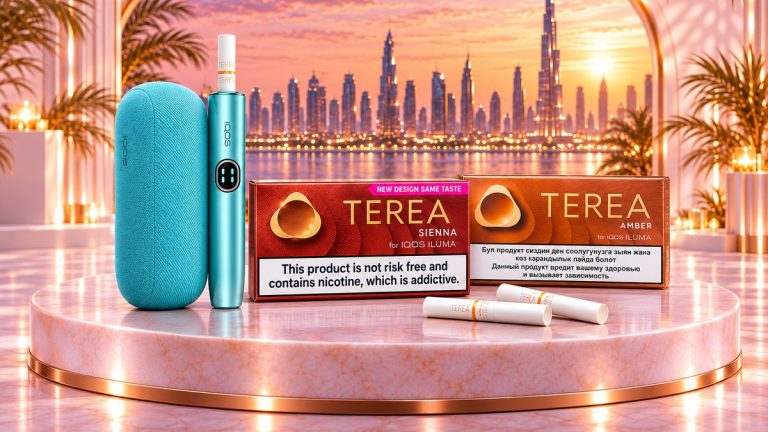
IQOS ILUMA i Lights and Vibrations: What Every Signal Means
A decoder for every ILUMA i light and vibration, model by model, with the official IQOS meaning and a quick fix for each signal.
In this guide
The meaning of IQOS ILUMA i lights is simple. Vibrations and pulsing lights mean the stick is heating or ready, and yellow means a low battery. White blinking on ILUMA i ONE means too hot or too cold, while ILUMA i and PRIME show temperature warnings as lines on the touch screen. Red blinking usually calls for a reset.
Last checked: November 2026, against the IQOS UAE first-steps and troubleshooting guides, and IQOS pages for Egypt, Saudi Arabia, Malta and South Africa.
Below you will find one decoder table for ILUMA i ONE and one for ILUMA i and ILUMA i PRIME, each with a quick fix, followed by the reset steps and a short guide to when a fix is not enough. Every meaning comes from an official IQOS page, linked in the text.
First, which ILUMA i do you have?
The signals depend on the hardware, so start with the model. If you are not sure, our ILUMA i One vs Standard vs Prime comparison shows the three side by side.
- ILUMA i ONE: one piece, no separate charger. IQOS Egypt notes that it has 4 strip lights only, with no touch screen.
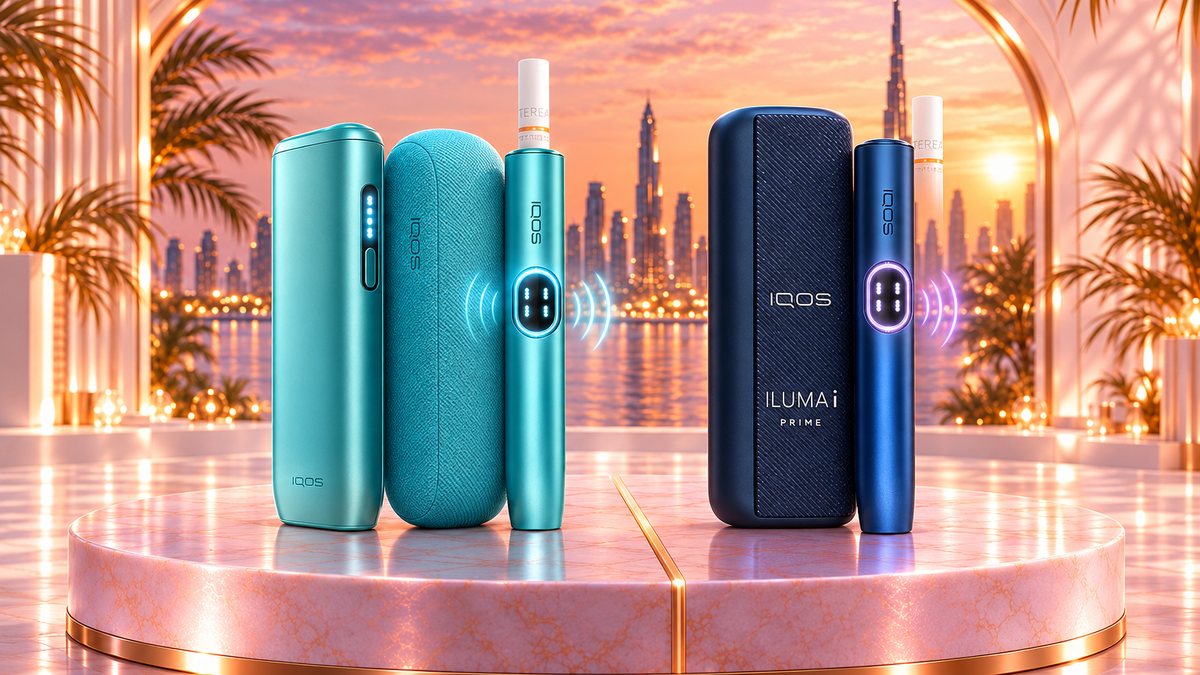
- ILUMA i (often sold as ILUMA i Standard): a holder plus a pocket charger. The holder has a touch screen with a light guide around it, and the pocket charger has strip lights plus a status light for the holder.
- ILUMA i PRIME: the same holder-and-charger system in a premium design. The IQOS UAE first-steps guide for PRIME describes the same lights, touch screen symbols and vibrations as the ILUMA i guide, so one table covers both.
Normal signals during a session
Most vibrations are not warnings. They simply tell you where you are in the session, which lasts up to 6 minutes or 14 puffs, whichever comes first, according to IQOS Saudi Arabia’s FlexPuff guide.
- First vibration: you have inserted a TEREA stick up to the line on the filter, and preheating starts automatically. On ILUMA i ONE the light also pulses.
- Second vibration: the stick is ready, and you can start. On ILUMA i and PRIME, preheating takes about 20 seconds.
- Lights during use: the status lights on ILUMA i ONE, or the light guide around the touch screen on ILUMA i and PRIME, count down the remaining time.
- End warning: on ILUMA i ONE, a vibration with a flashing light means you have 2 puffs or 30 seconds left. On ILUMA i and PRIME, the session is over when no lights remain on the touch screen.
If FlexPuff decides you have not used the whole stick, it adds 4 puffs within the same 6 minutes. On ILUMA i and PRIME the light ring then extends anti-clockwise to the 9 o’clock position. IQOS adds that FlexPuff does not activate if you used Pause Mode.
IQOS ILUMA i ONE lights: what each signal means
These meanings come from the IQOS UAE ILUMA i ONE first-steps guide and the IQOS Egypt guide to ILUMA i ONE lights.
| Signal | Meaning | 60-second fix |
|---|---|---|
| Vibration and pulsing light after you insert a stick | Preheating has started | Wait for the second vibration |
| Second vibration | Ready to use | Start your session |
| Vibration and flashing light during use | 2 puffs or 30 seconds left | Nothing; the session is ending |
| Strip lights pulsing while plugged in | Charging | Leave it plugged in; a full charge takes about 90 minutes |
| 4 solid white strip lights | Above 75% charge, or full when charging | Nothing |
| 1 white strip light | Below 25% charge | Charge soon |
| First light blinking yellow, or one yellow light blinking three times | Battery low or depleted | Charge with a compatible adapter and cable; about 15 minutes gives at least 25% |
| All lights blinking white | Outside the operating temperature (0-40 °C per IQOS Egypt) | Let it reach room temperature, away from heat sources |
| Top and bottom lights flashing white when you press the button | Device lock is on | In the IQOS app, select the device, then Device settings, then Lock device, and switch it off |
| Blinking red | Dirty charging port, wrong adapter or cable, a nearby magnet, a failed firmware update or a needed reset | Clear the port, use a compatible cable, move away from magnets, then reset (see below) |
| No lights at all | Off, or the battery is fully drained | Hold the button for 4 seconds; if nothing happens, charge it |
When you charge a fully drained ILUMA i ONE, the first light may take a few seconds to start blinking yellow. Once the charge passes 7%, the blinking light turns from yellow to white, so a white blink while charging is good news.
IQOS ILUMA i and ILUMA i PRIME lights: what each signal means
These meanings come from the IQOS UAE first-steps guides for ILUMA i and ILUMA i PRIME. The touch screen warnings come from the IQOS South Africa troubleshooting page for ILUMA i and ILUMA i PRIME and match the IQOS Malta ILUMA i page.
| Signal | Meaning | 60-second fix |
|---|---|---|
| Holder vibrates after you insert a stick | Preheating has started (about 20 seconds) | Wait for the second vibration |
| Second vibration | Ready to use | Start your session |
| Light guide around the touch screen | Time left in the current session | Nothing |
| Light ring extends anti-clockwise to 9 o’clock | FlexPuff has added 4 puffs | Nothing |
| 2 dashes on the touch screen | Up to 3 sessions left in the holder | Nothing |
| 1 dash on the touch screen | Up to 2 sessions left in the holder | Nothing |
| 2 short vertical lines at the top of the touch screen | Pause Mode is available | Swipe down across the whole screen to pause |
| 4 vertical lines on the touch screen | Session paused | Swipe up to resume within 8 minutes, or the holder switches off |
| Pocket charger strip lights pulsing | The pocket charger is charging | Leave it plugged in; a full charge takes about 2 hours 15 minutes |
| First strip light blinking yellow | Pocket charger battery very low | Charge it; the blink turns white once it passes 7% |
| All 4 strip lights solid white | Pocket charger fully charged | Nothing |
| 1 vertical line at the top and 1 at the bottom of the touch screen, swapping sides 3 times | Outside the operating temperature (0-40 °C) | Let the holder reach room temperature |
| Number 0 flashing 3 times on the touch screen | Holder battery low | Put the holder in a charged pocket charger |
| 1 or 2 horizontal lines blinking 8 times on the touch screen | Battery end of life: one or both sessions permanently lost | No quick fix; IQOS lists a replacement eligibility check |
| Letter E flashing 3 times on the touch screen | A magnet nearby, a device malfunction, or a failed or interrupted firmware update | Move away from magnets, then reset (see below) |
| Pocket charger status light blinking red | The charging ports may need cleaning; if you were not charging, a reset is needed | Clean the ports on the charger and cable, then reset (see below) |
The holder’s own status light shows the holder’s battery level, and the dashes on the touch screen tell you how many sessions it can still give before it needs the pocket charger. IQOS lists up to 3 sessions in a row in Performance Mode. In Eco Mode, IQOS Lebanon’s ILUMA i guide says you get one session at a time with no pause.
Signals that are easy to confuse
Several signals look alike at a glance. Before you act, check which of these you are seeing:
- White blinking while charging: on the pocket charger or on ILUMA i ONE, a blinking light turns from yellow to white once the battery passes 7%. That is normal charging, not a temperature warning.
- Two vertical lines: on ILUMA i and PRIME, 2 short lines at the top of the touch screen mean Pause Mode is available. One line at the top and one at the bottom swapping sides 3 times is the temperature warning.
- 3 or 8 white blinks on the holder: the IQOS UAE diagnostic page that lists these, with a 0-50 °C range, is for the first-generation ILUMA. ILUMA i and PRIME show their warnings as lines and symbols on the touch screen instead.
- Pulsing or blinking: slow pulsing strip lights mean charging, and a pulsing light right after you insert a stick means preheating. Quick blinks in yellow, white or red are status messages.
- Top and bottom lights on ILUMA i ONE: if only those two flash white when you press the button, the device is locked, not broken.
- Red light or a flashing E: on ILUMA i and PRIME, a red pocket charger status light and an E on the touch screen both lead to the same reset, with the holder in the pocket charger.
How to reset when the light blinks red
A red light is the one signal that usually needs action. IQOS gives the same 10-second reset for every ILUMA i model, with one difference in where you press.
ILUMA i and ILUMA i PRIME
- Put the holder into the pocket charger.
- Press and hold the pocket charger button for 10 seconds without letting go. If the device was off, the lights appear after about 4 seconds; keep holding.
- Release the button. All status lights turn off, blink twice and turn back on to confirm the reset.
IQOS Malta and IQOS Egypt describe this same confirmation for ILUMA i and ILUMA i PRIME. If an IQOS UAE page tells you the lights briefly blink white instead, it is the page for the first-generation ILUMA and ILUMA PRIME, not for ILUMA i.
ILUMA i ONE
- Press and hold the device button for 10 seconds.
- All status lights turn off, blink twice and turn back on to confirm the reset.
Before you reset an ILUMA i ONE, IQOS Egypt suggests checking the simple causes first: gently blow any dust out of the charging port from a short distance, swap to a compatible adapter and cable, and keep the device away from magnets, which can affect its calibration. Firmware updates run through the IQOS app.
Temperature warnings and Dubai heat
Every ILUMA i model has the same operating range: 0 to 40 °C, according to the IQOS Egypt page for ILUMA i ONE and the IQOS Malta and South Africa troubleshooting pages for ILUMA i and PRIME. Outside it, IQOS says a session may be interrupted or may not start. The 0 to 50 °C figure on an IQOS UAE diagnostic page belongs to the first-generation ILUMA, so do not apply it to an ILUMA i.
A car parked in the sun during a UAE summer can easily get hotter than that limit, and so can a bag left on a hot balcony. If you see a temperature warning after a drive or time outdoors, move the device indoors and let it cool down on its own before you try again. The official advice is simply to let it reach room temperature and keep it away from heat sources.
When a quick fix is not enough
Most signals clear in a minute. Use the official IQOS UAE troubleshooting guide for ILUMA i or contact IQOS support if you notice any of these:
- The red light comes back after a reset.
- The touch screen shows 1 or 2 horizontal lines blinking 8 times. IQOS calls this battery end of life, and within 12 months of purchase it checks whether you can get a replacement.
- No lights appear after charging with an official adapter and cable. IQOS Malta notes that after a long time without use, a fully drained battery may take up to 10 minutes to show charging lights.
- A session will not start or feels poor. IQOS UAE reminds you that sticks are single use, so never reinsert a used one, and to insert each stick up to the line on the filter.
Buying an ILUMA i in Dubai
All three models heat TEREA sticks the same way, so the choice comes down to design, charging and features. If you are choosing a first device or replacing one, you can see the current ILUMA i ONE, ILUMA i, ILUMA i PRIME and limited editions in our IQOS ILUMA i devices category, with delivery in 1-2 hours in Dubai and cash or card on delivery. New to the sticks themselves? Start with what TEREA is and how a session works.
Frequently asked questions
Why is my IQOS ILUMA i blinking red?
IQOS treats a blinking red light as a sign that the device needs attention, usually a reset. On ILUMA i and PRIME, put the holder in the pocket charger and hold the charger button for 10 seconds. On ILUMA i ONE, hold the device button for 10 seconds.
What does it mean when lines swap sides on the ILUMA i touch screen?
If one line at the top and one at the bottom swap sides 3 times, the holder is outside its 0-40 °C operating range, according to IQOS Malta and IQOS South Africa. Let it return to room temperature before you insert a stick.
What do lines blinking 8 times on the ILUMA i touch screen mean?
IQOS calls 1 or 2 horizontal lines blinking 8 times battery end of life: one or both sessions are permanently lost. A reset will not fix it, so contact IQOS about a replacement check.
Why does my ILUMA i vibrate twice?
The first vibration confirms the stick is in and preheating has started. The second one tells you the stick is ready, so you can start your session.
How do I know an ILUMA i ONE session is about to end?
The device vibrates and the light flashes. According to IQOS UAE, that means you have 2 puffs or 30 seconds left.
For adults 18+ only. Tobacco and nicotine products are addictive and not risk free.
We are a Dubai store for TEREA sticks and IQOS ILUMA i devices with Cash on Delivery across the UAE. Our guides are written to help you compare flavors, country versions and devices. About us